In development — coming to iOS & Android

Narrela remembers, so you don't have to.

A personal health journal built for chronic illness — track symptoms, vitals, medications, and more, then turn weeks of tracking into an Appointment Log your doctor can actually read in the time you have.

Narrela — Health Journal
What it does

Everything you track, in one place.

✎

Daily tracking

Symptoms, vitals, cycle, medications, sleep, food, exercise, and hydration — quick enough to actually keep up with on a bad day.

▤

The Appointment Log

Two parts — a short provider summary and a full log — generated straight from what you've logged, in plain language, organized by category. Nothing to type up the night before.

⚡

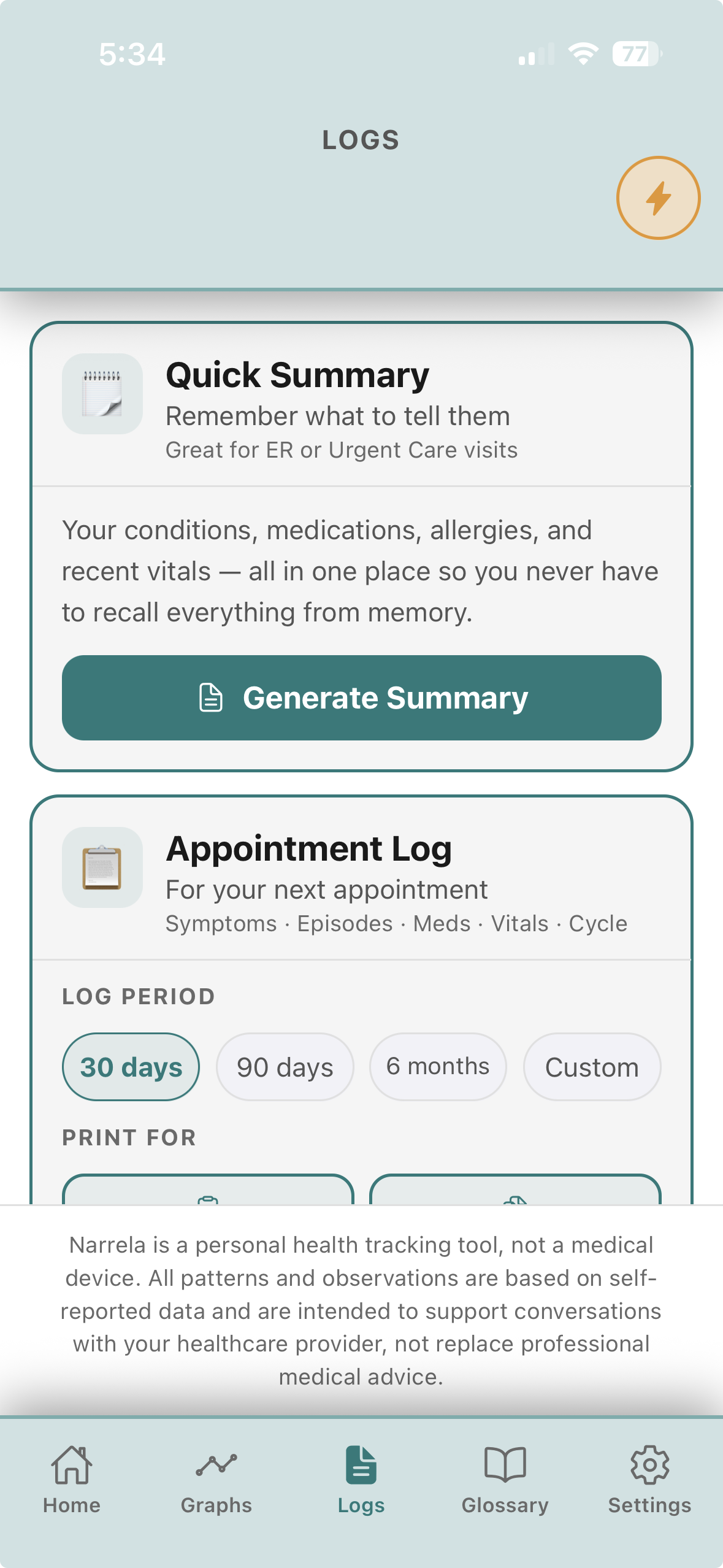
Quick Summary

A one-page version for the ER or an urgent-care visit: current conditions, medications, allergies, and recent vitals, ready in seconds.

◈

Patterns, not guesses

Narrela looks for real timing and frequency patterns in your own data. It never diagnoses and never claims to know what's causing anything — just what your logs actually show.

⌂

Lives on your device

No cloud, no account, no server. Your data stays on your phone unless you choose to export it.

♡

No subscriptions, ever

One-time purchase. We don't believe managing your own health should come with a monthly bill.

See it in action

A look inside Narrela.

These screens show one person's setup in one color theme. Which modules appear, which symptoms you track, tile order, and the theme itself are all yours to set up — so your own Narrela will look a little different from this.

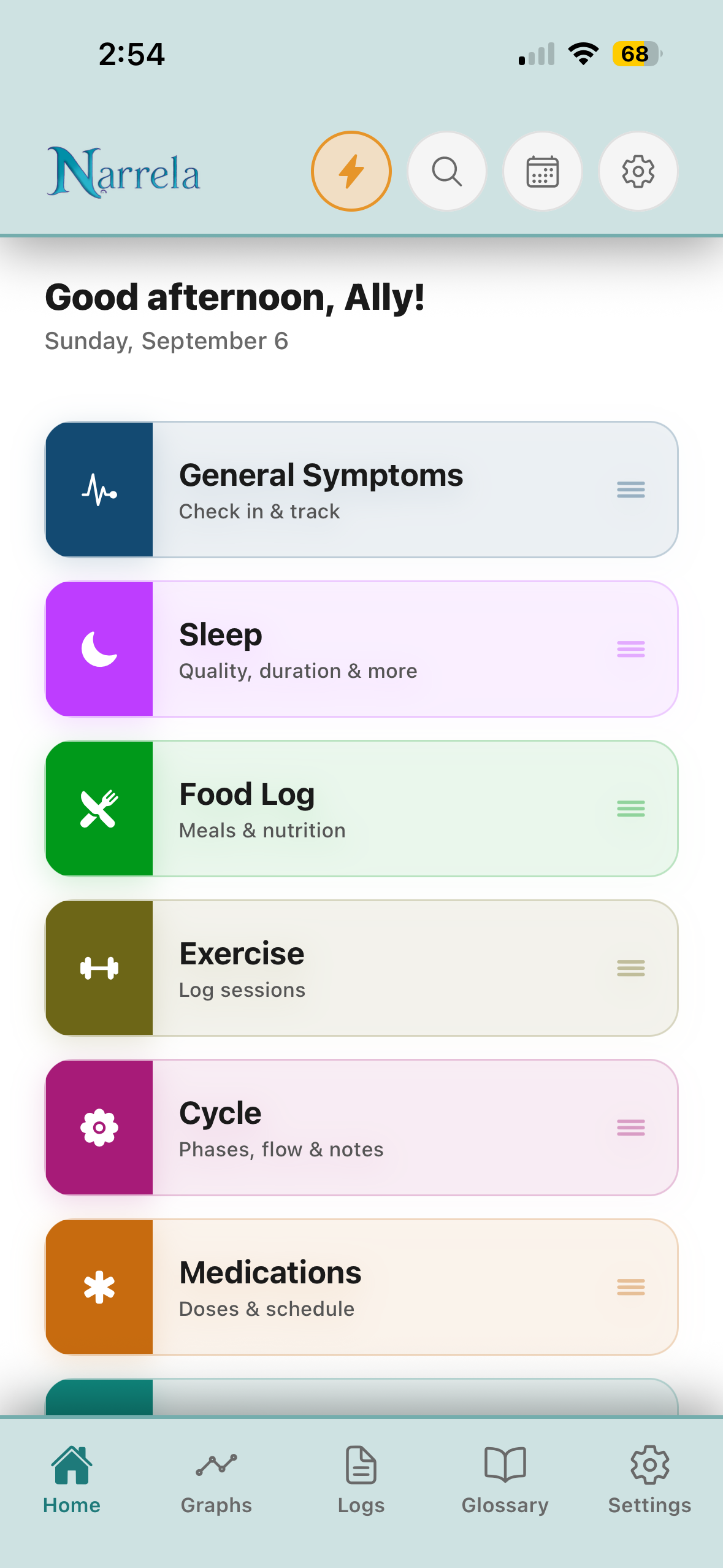
Narrela Home tab, showing a color-coded list of module tiles for the day.

Home

Your day, at a glance — every module you use sorted into one color-coded list.

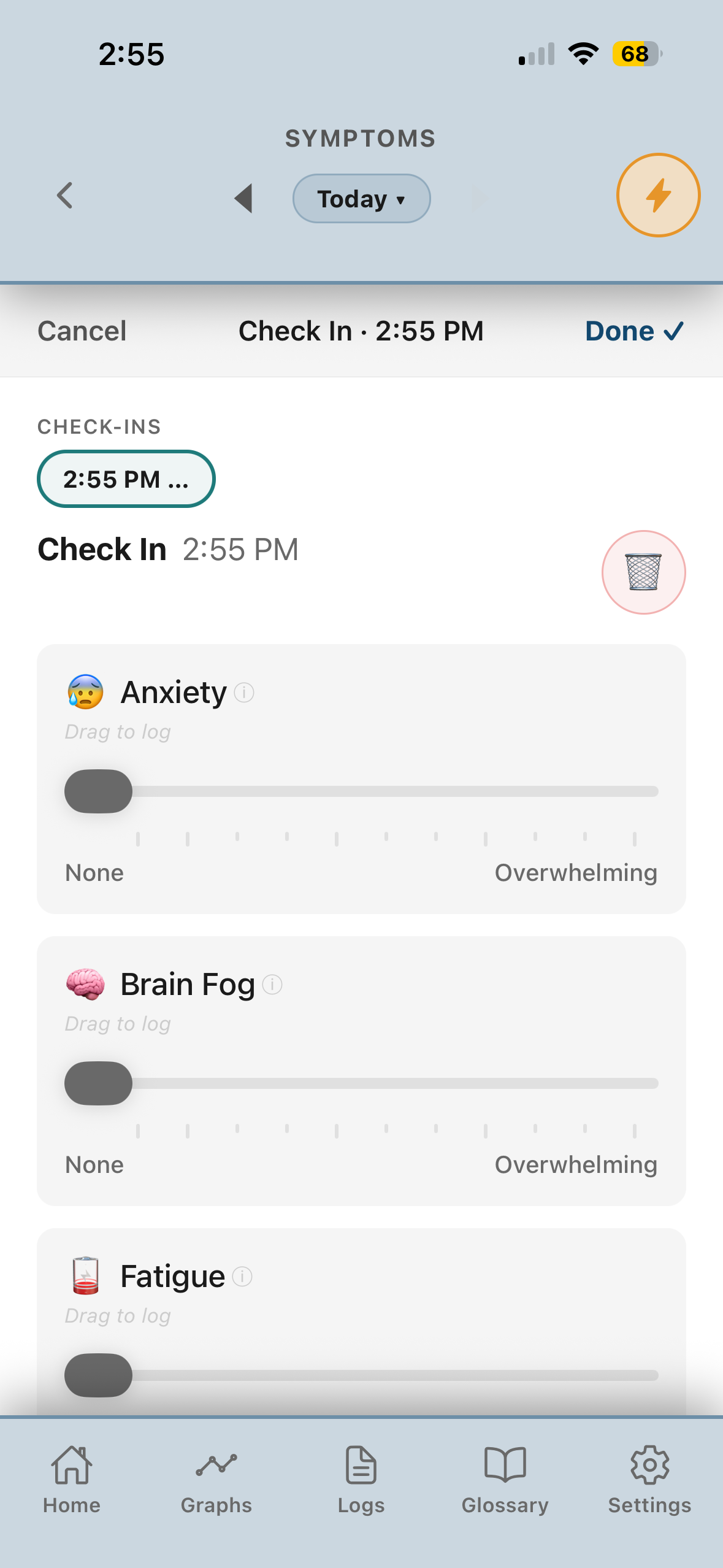
Symptom check-in screen with drag-to-log severity sliders.

Symptom check-in

Drag-to-log severity from None to Overwhelming — plain-language labels, not a bare 1–10 scale.

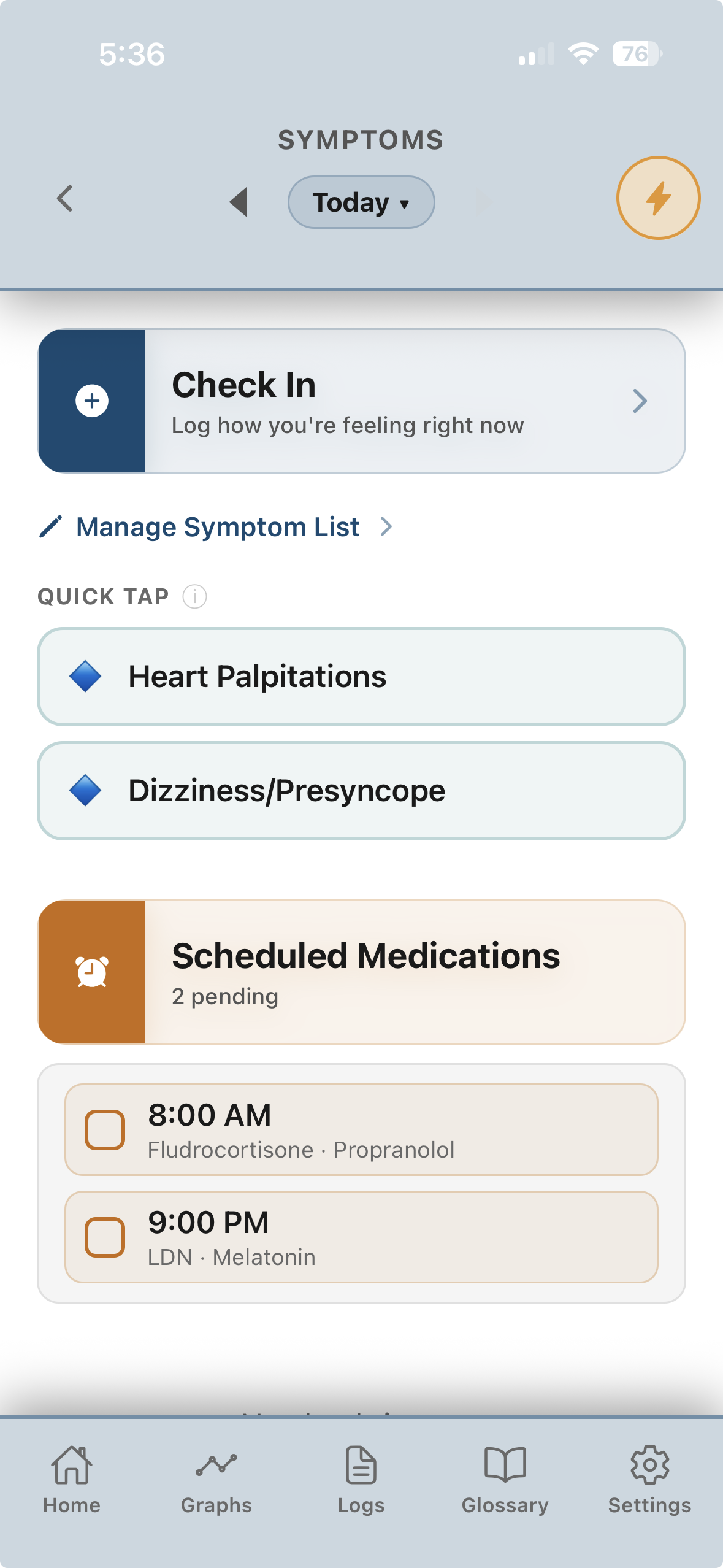
Symptoms screen with Quick Tap shortcuts and scheduled medications.

Quick Tap

One-tap shortcuts for your most frequent symptoms, right alongside today's scheduled medications.

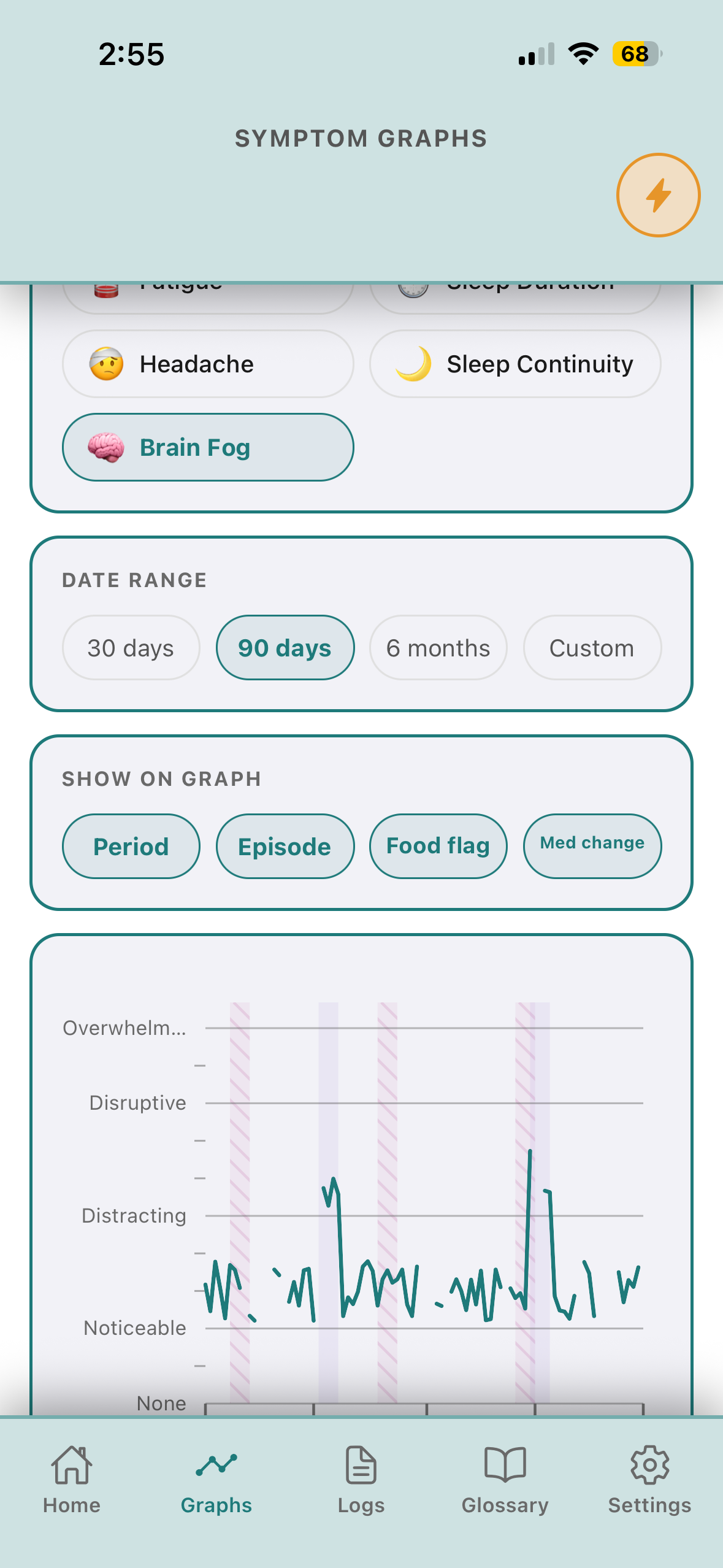
Symptom Graphs screen with trend lines and period, episode, and medication overlays.

Symptom graphs

Trend lines with period, episode, food-flag, and medication-change overlays layered right on the chart.

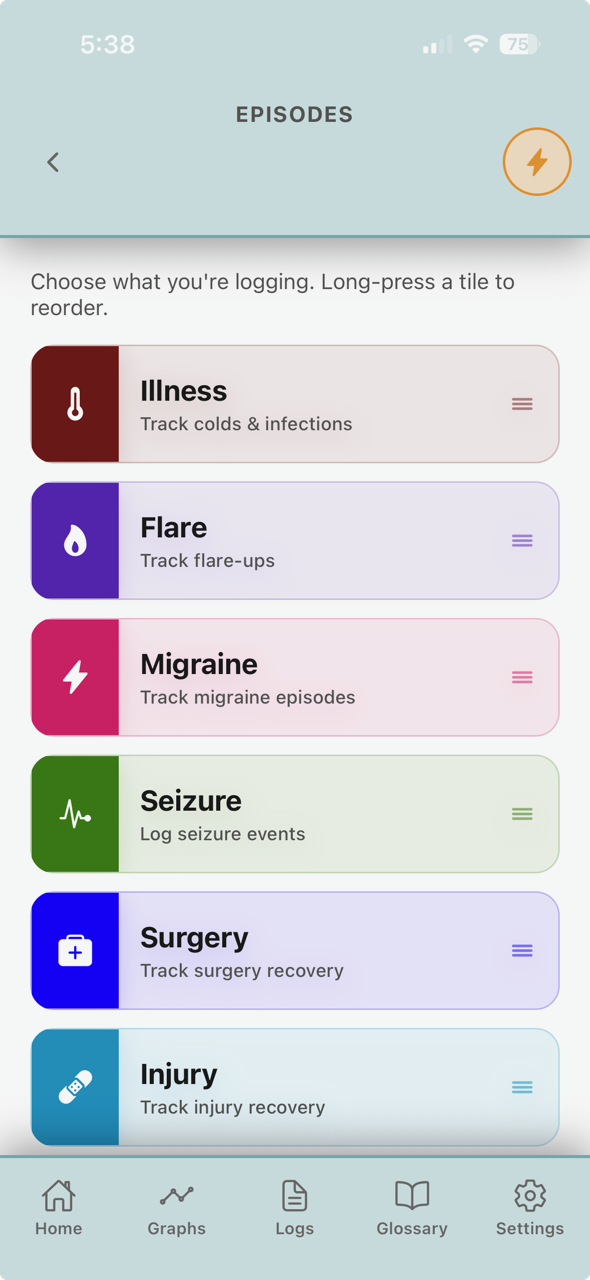
Episode Module tile list — Illness, Flare, Migraine, Seizure, Surgery, Injury.

Episode Module

Flares, migraines, seizures, illness, surgery, and injury recovery — reorder the list to match what you actually track.

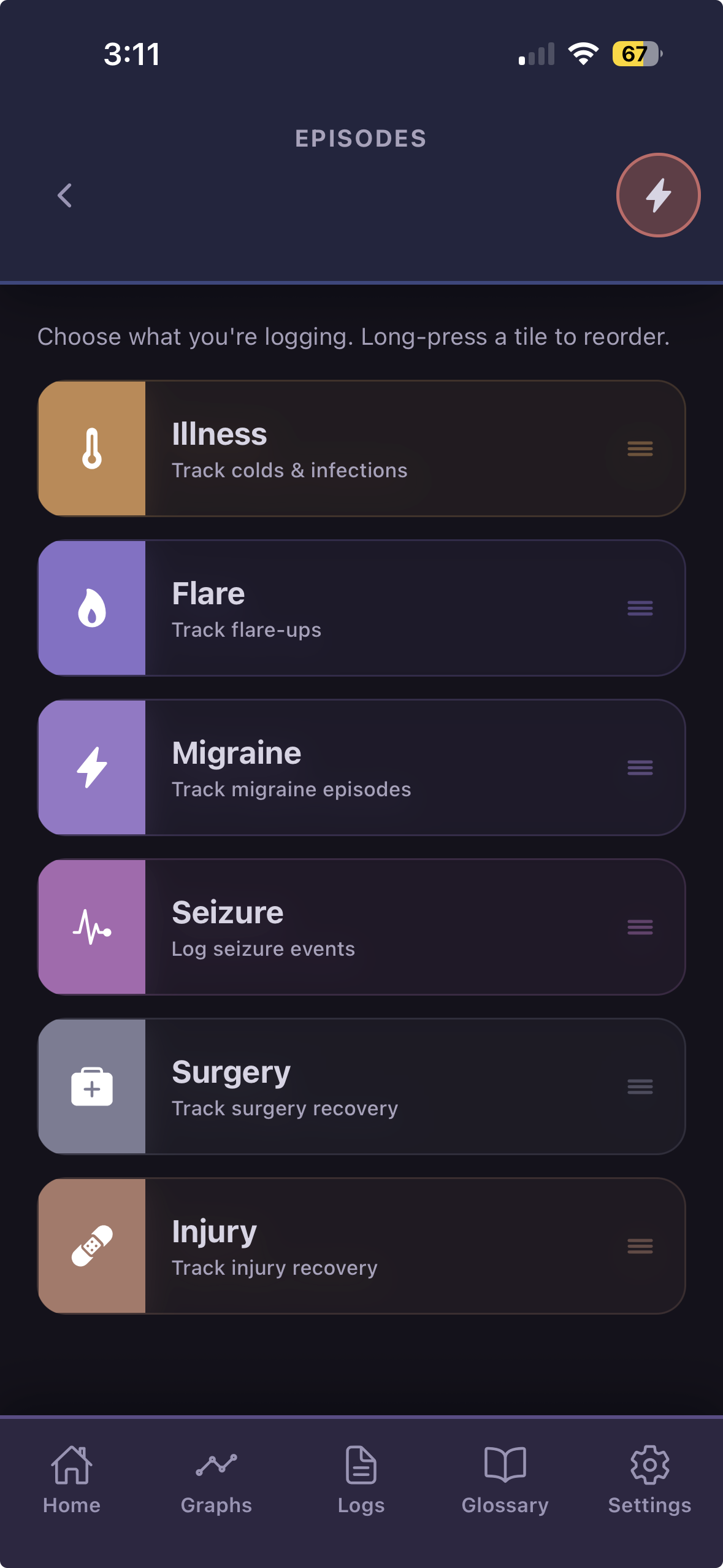
The same Episode Module screen, automatically switched to a dark, low-stimulation flare theme.

Flare mode

Start a flare and the app shifts to a calmer, low-light theme on its own — one less thing to fuss with on a hard day.

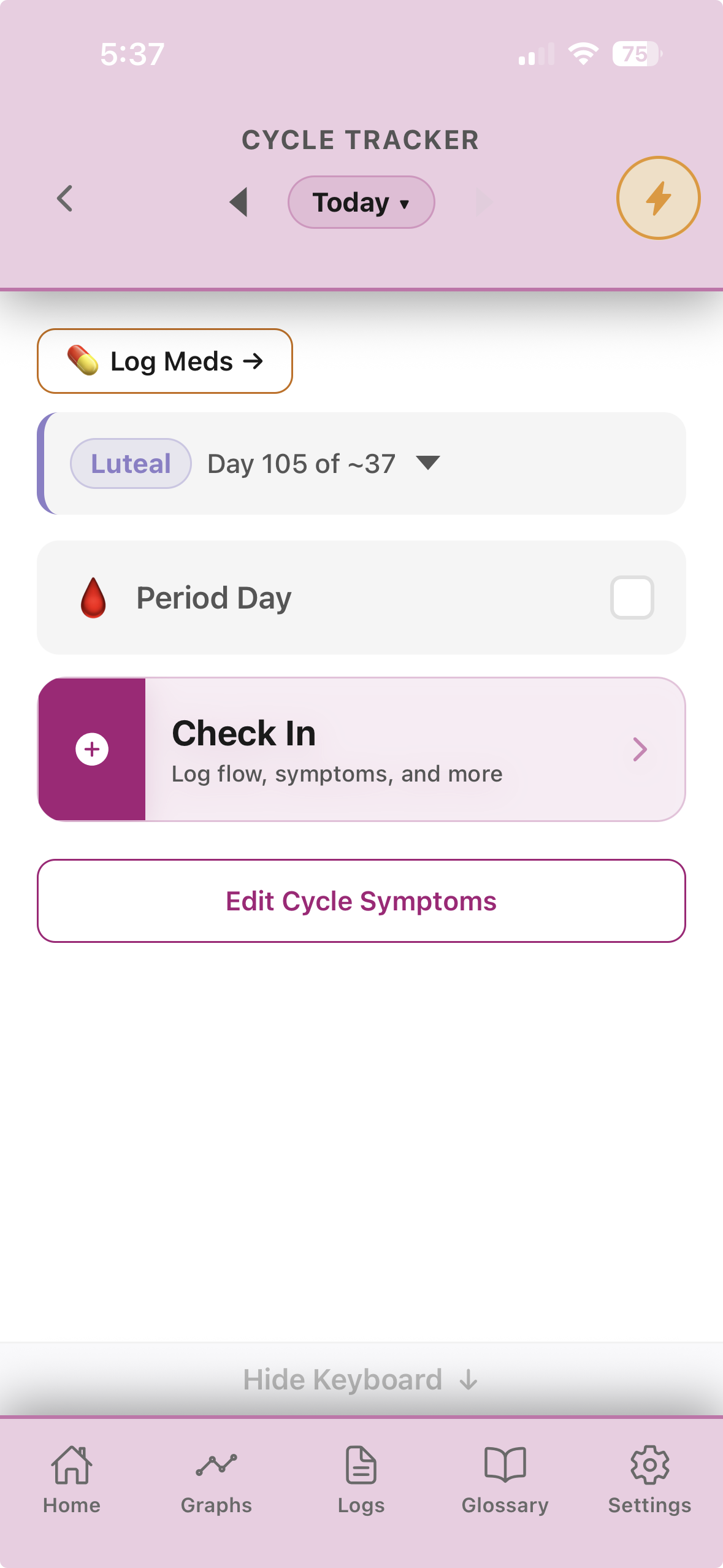
Cycle Tracker screen showing cycle phase, day count, and a check-in for flow and symptoms.

Cycle tracker

Phase and day count at a glance, plus a check-in for flow and cycle-specific symptoms like cramping.

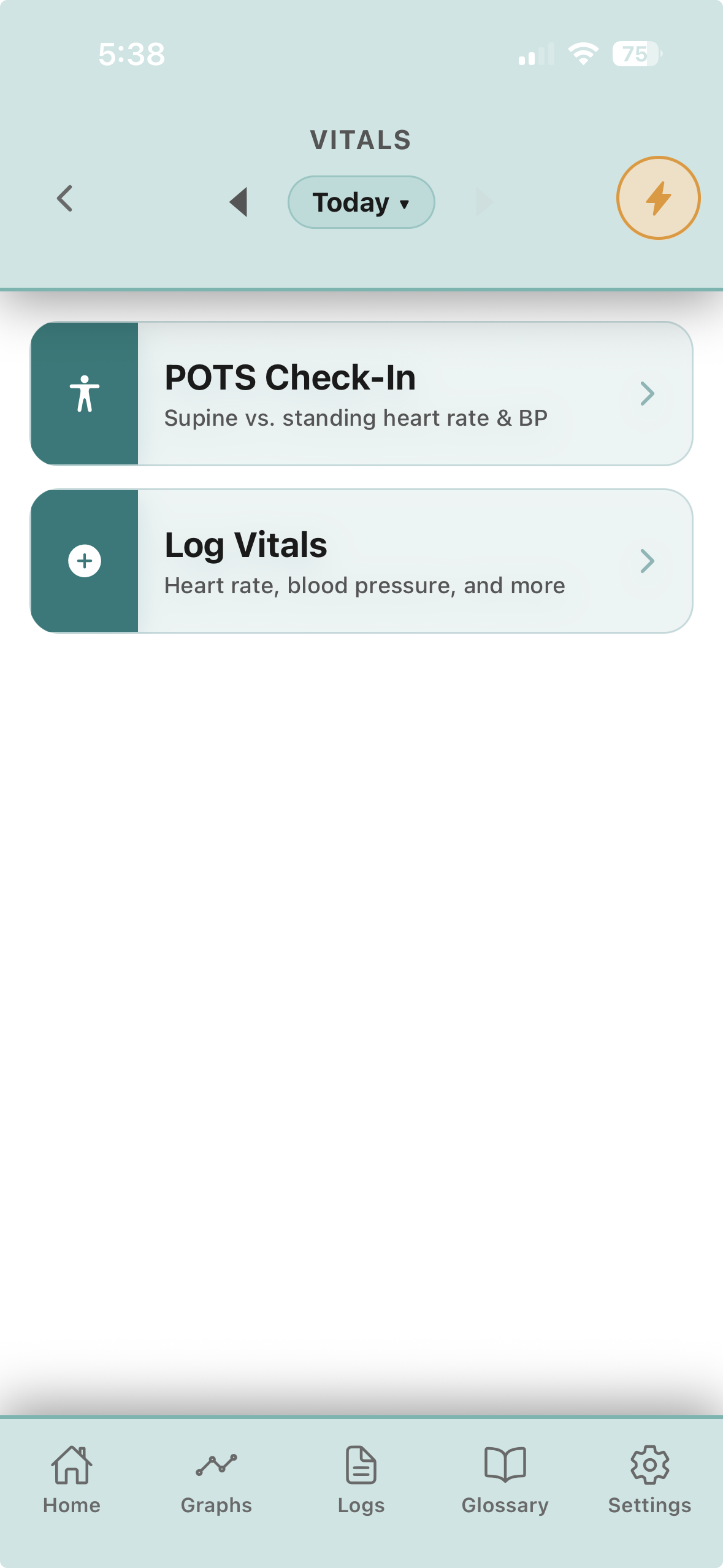
Vitals screen with a POTS Check-In for supine versus standing heart rate and blood pressure.

Vitals & POTS check-in

A dedicated supine-vs-standing heart rate and blood pressure check, alongside general vitals logging.

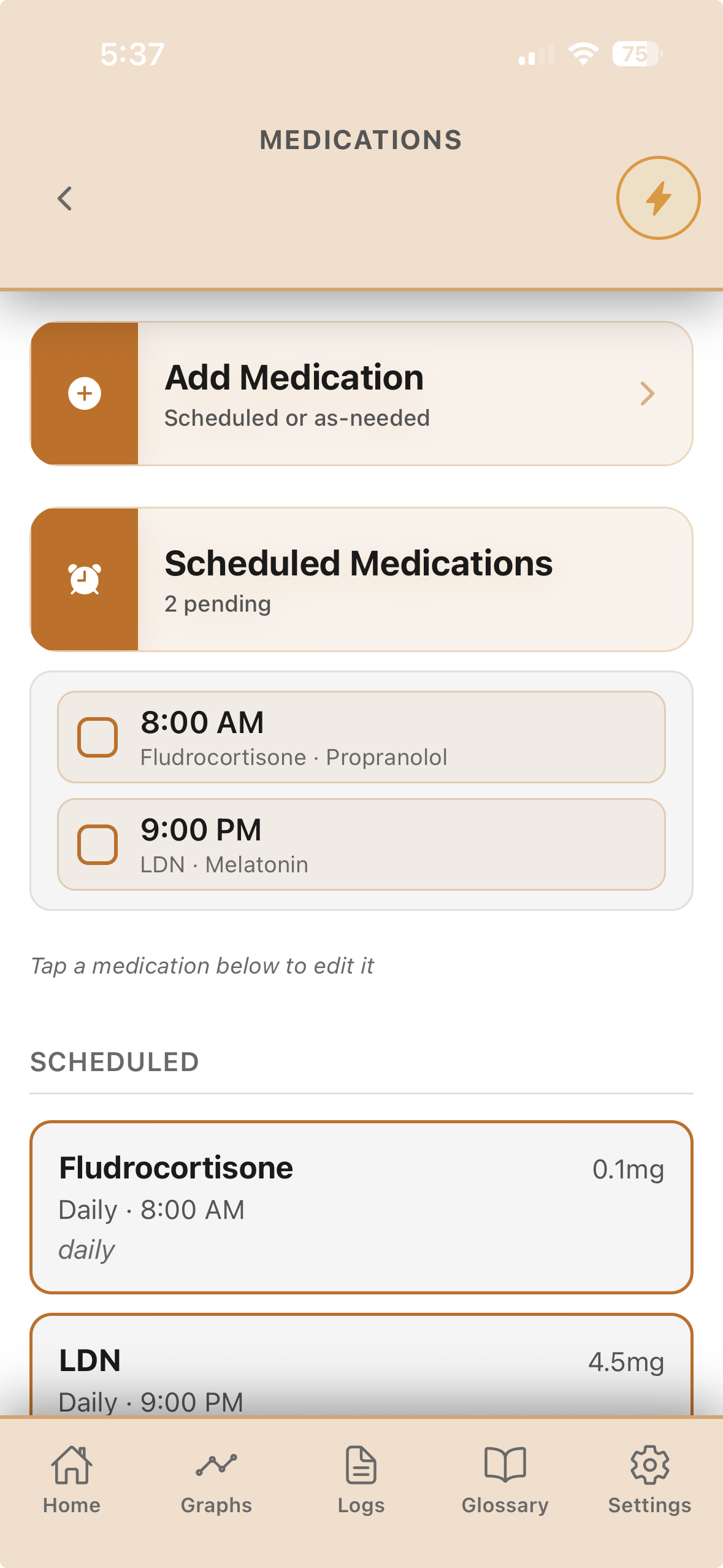
Medications screen with scheduled doses and pending times.

Medications

Scheduled doses with times, as-needed meds tracked separately, logged with a tap.

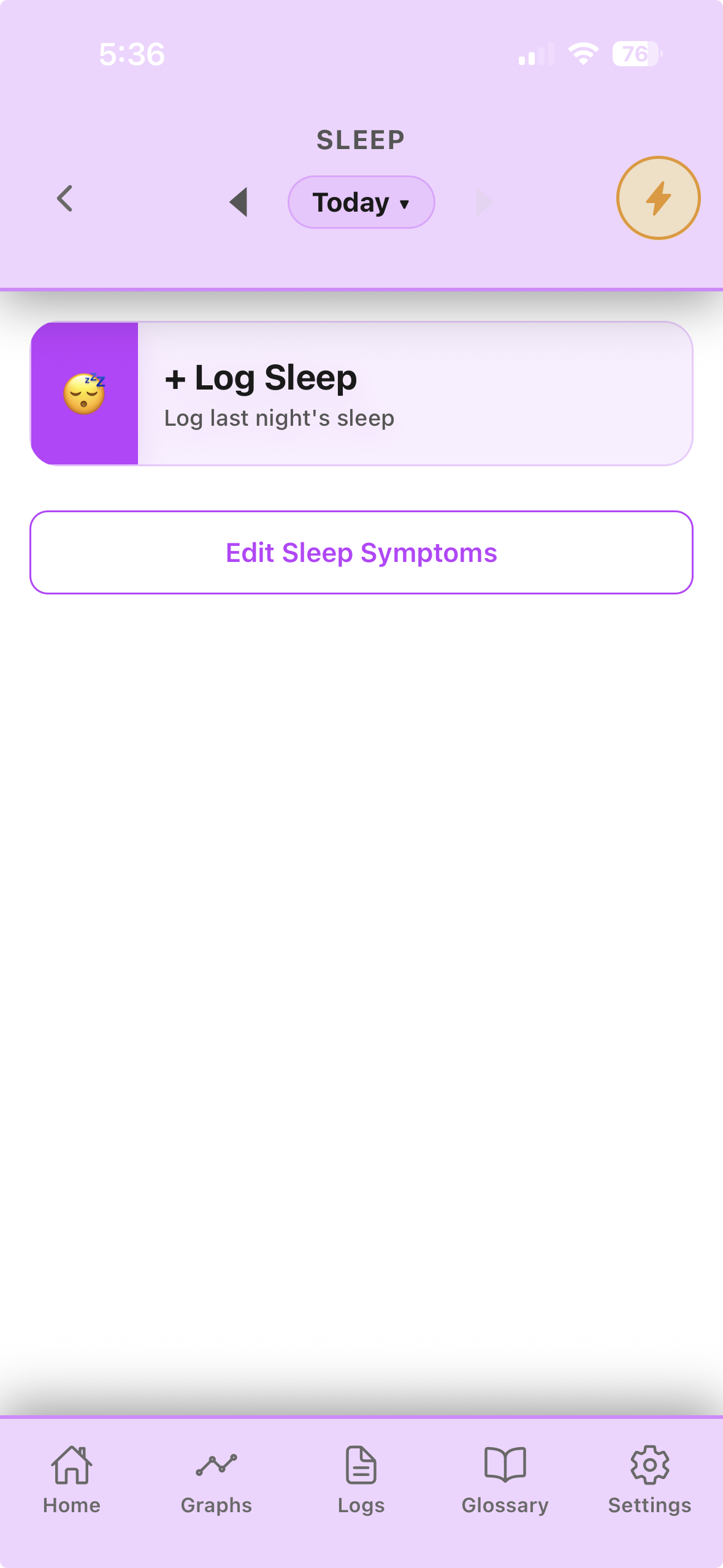
Sleep screen with a Log Sleep action and sleep symptom editor.

Sleep

Log last night's sleep and the sleep-specific symptoms that actually affect you.

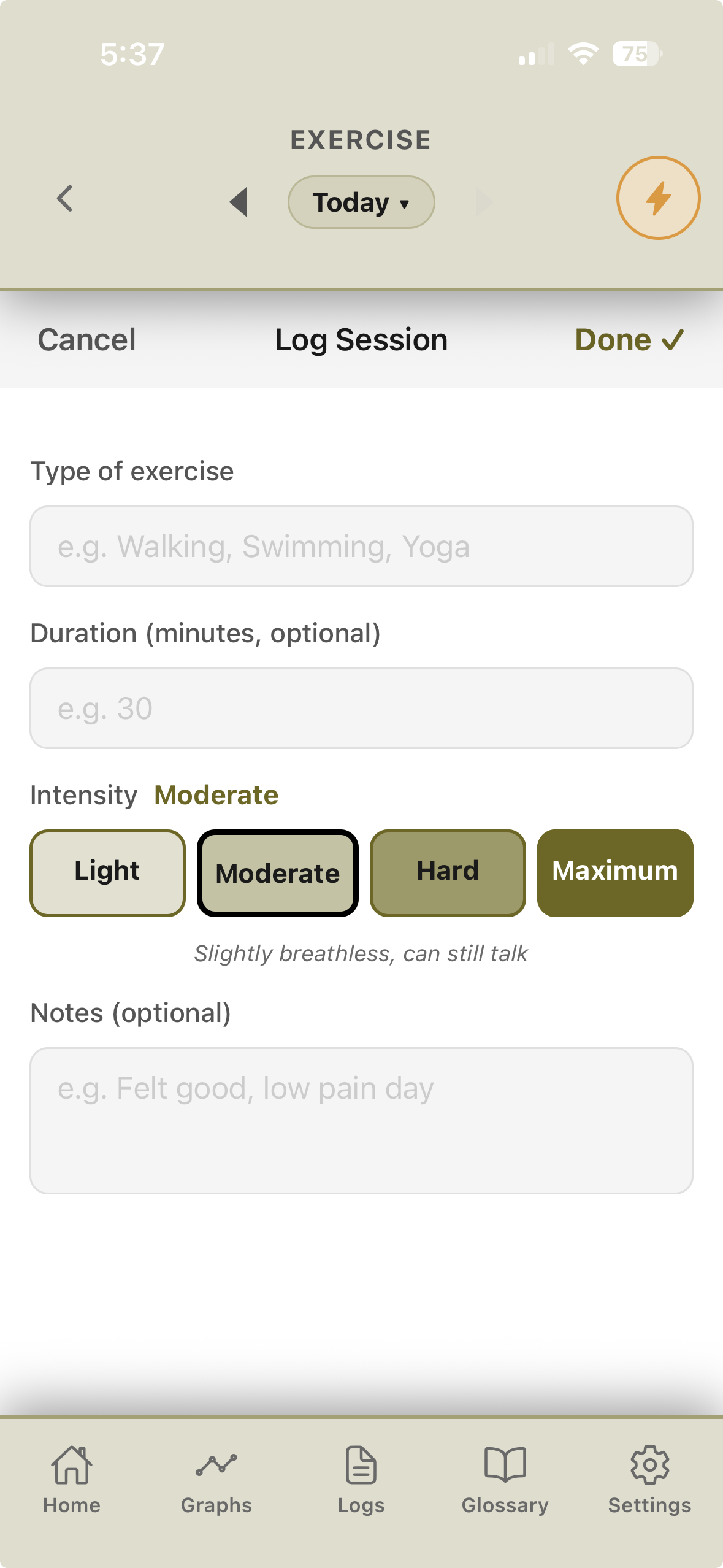
Exercise log form with type, duration, and an intensity scale from Light to Maximum.

Exercise

Type, duration, and intensity — built around real pacing (Light through Maximum), not step-count pressure.

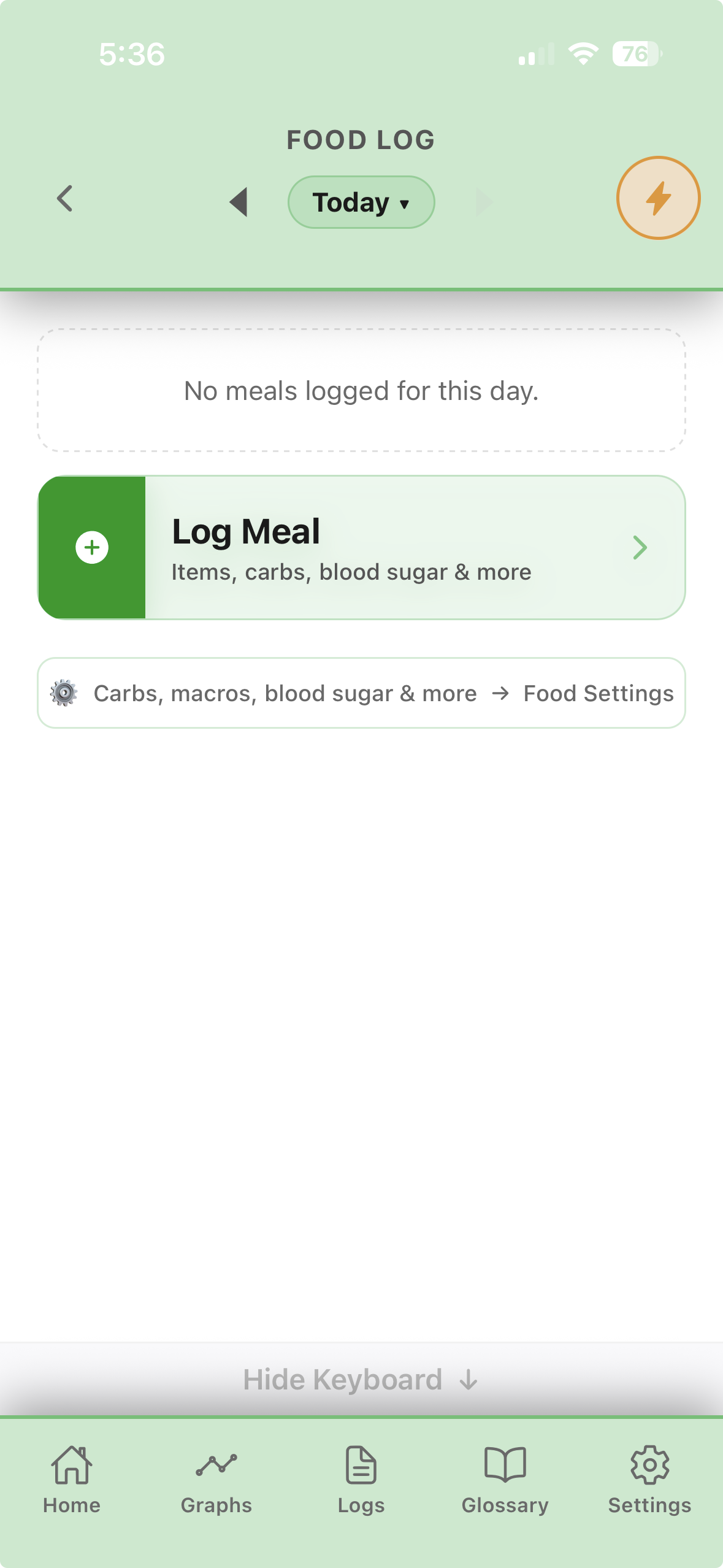
Food Log screen with a Log Meal action.

Food log

Meals with carbs, macros, and blood sugar — as much or as little detail as helps.

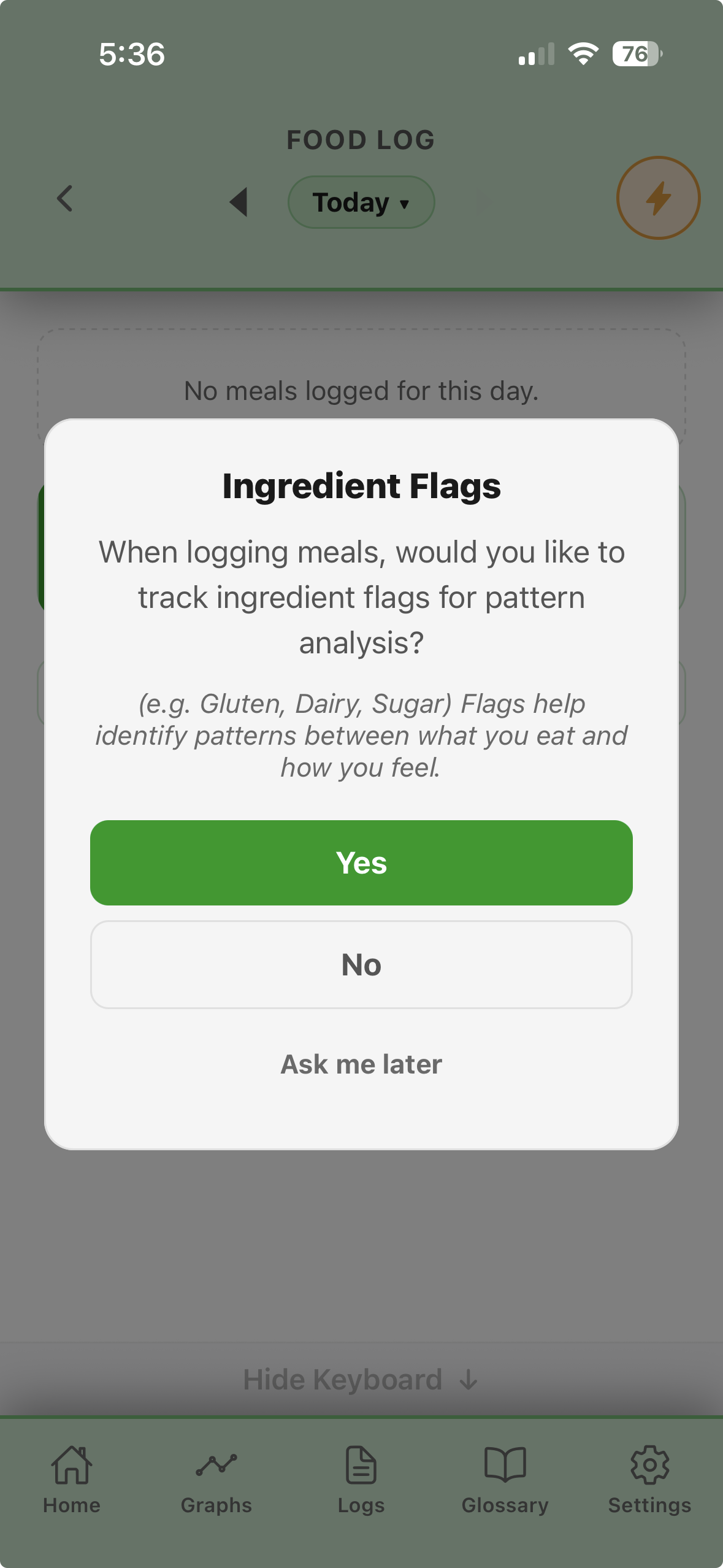
Ingredient Flags prompt offering to track flags like gluten, dairy, and sugar.

Ingredient flags

Optional gluten/dairy/sugar-style flags to help surface links between what you eat and how you feel.

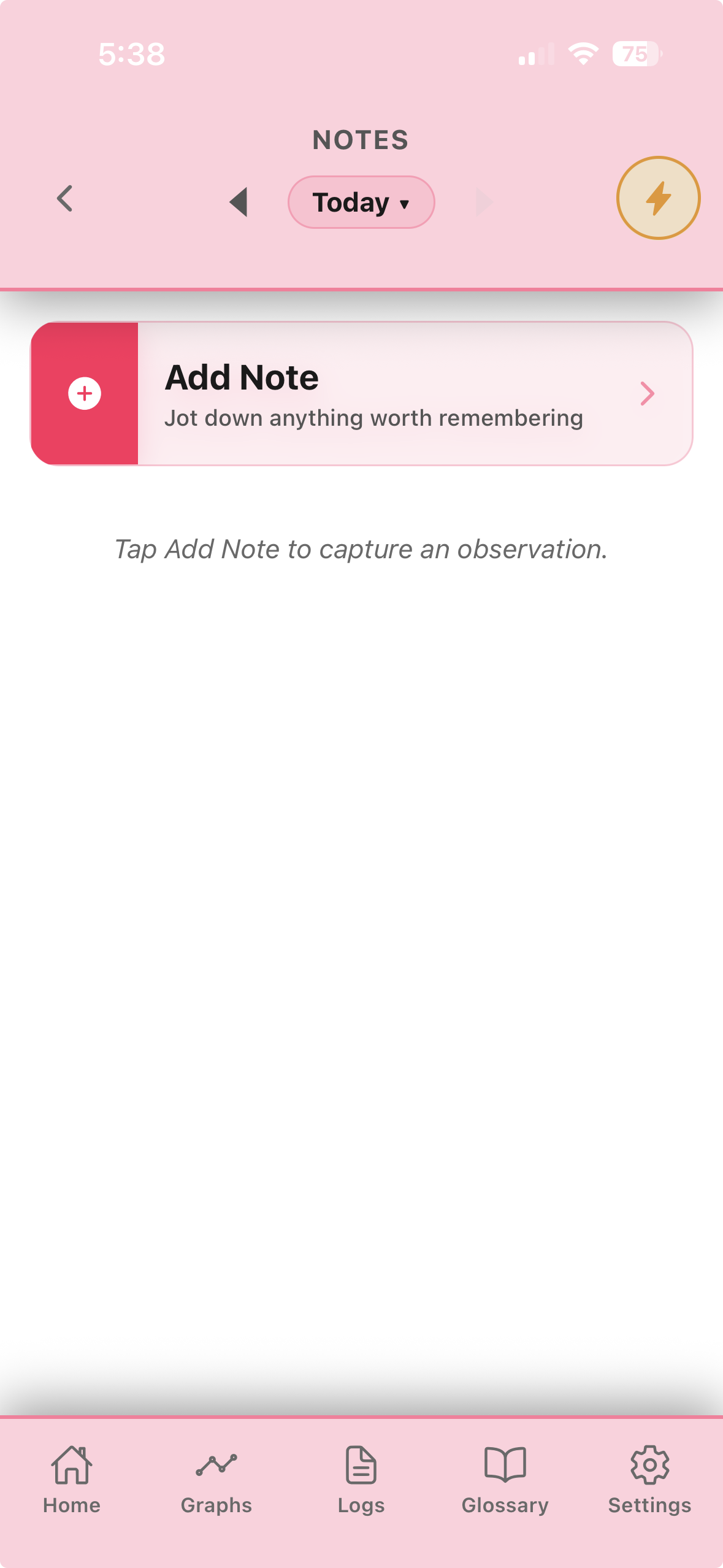
Notes screen with an Add Note action.

Notes

A place for anything worth remembering that doesn't fit a symptom slider.

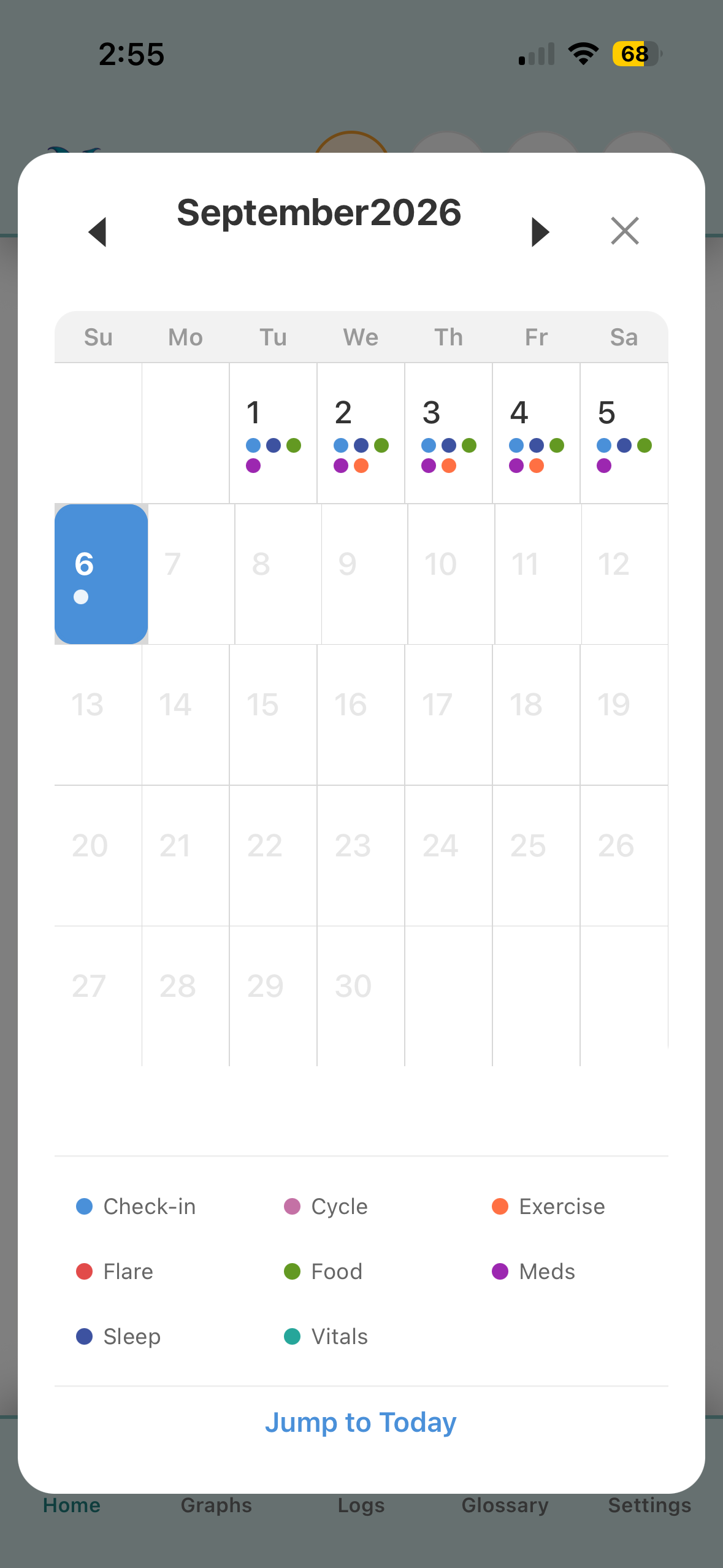
Month calendar view with color-coded dots for each logged category.

Calendar

Tap a day to see what you logged, tap a dot to jump straight to that check-in, or tap a category in the legend to highlight every day it happened.

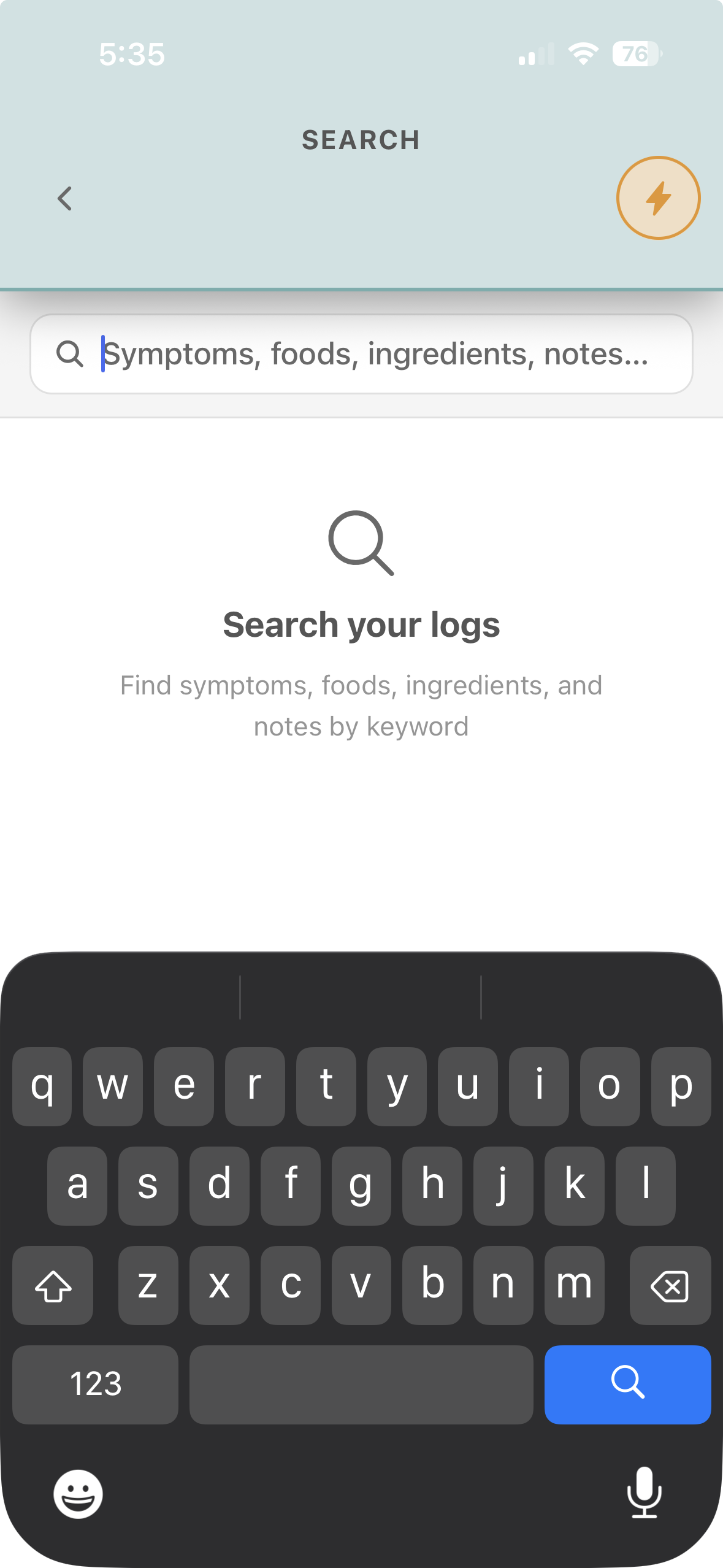
Search screen for finding symptoms, foods, ingredients, and notes by keyword.

Search

Find any symptom, food, ingredient, or note by keyword, instantly.

Logs tab with Quick Summary and Appointment Log cards.

Logs

Quick Summary for urgent care, and a full Appointment Log built around what your doctor actually needs.

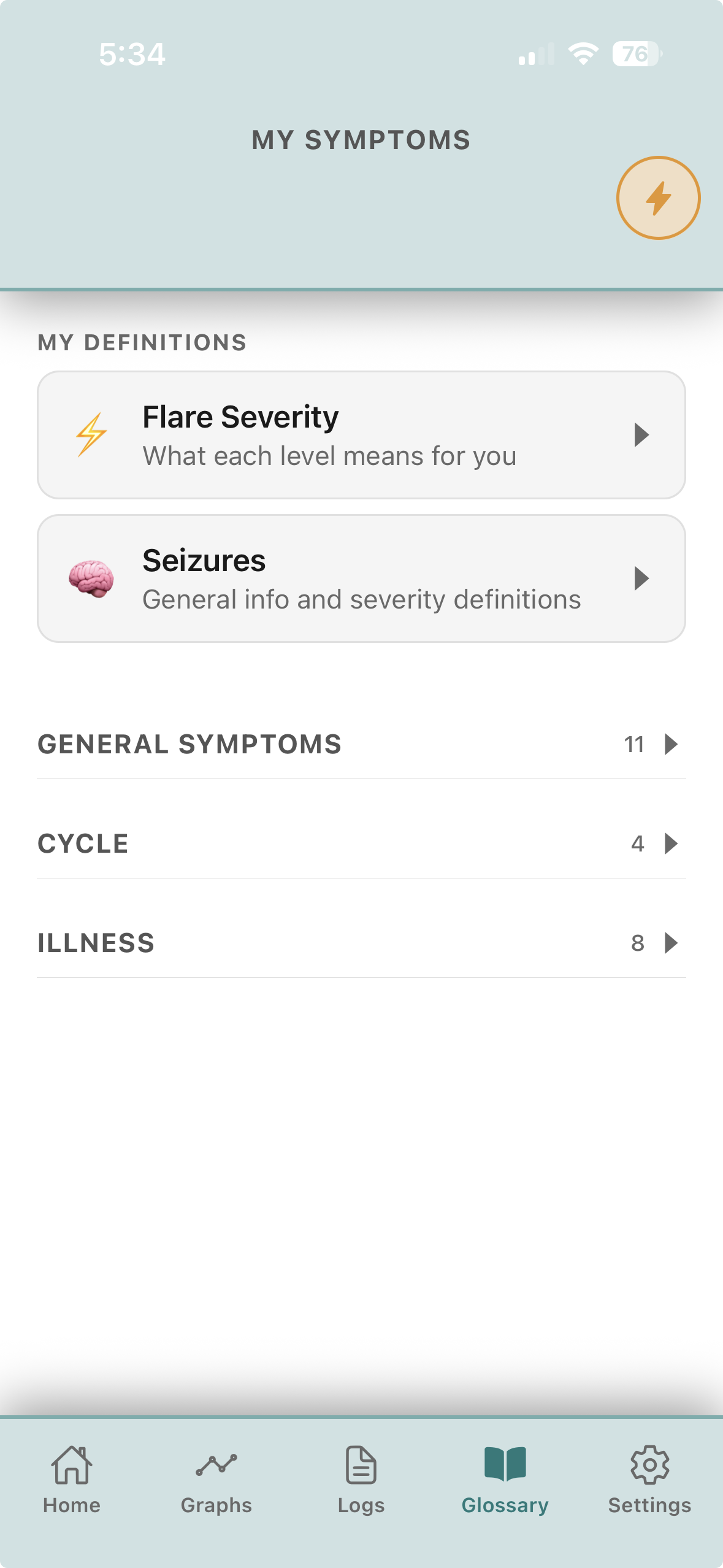
Glossary screen with a symptom list and definitions for flare severity and seizures.

My Symptoms

Your own symptom list, plus plain-language definitions you wrote for flare severity and seizure types.

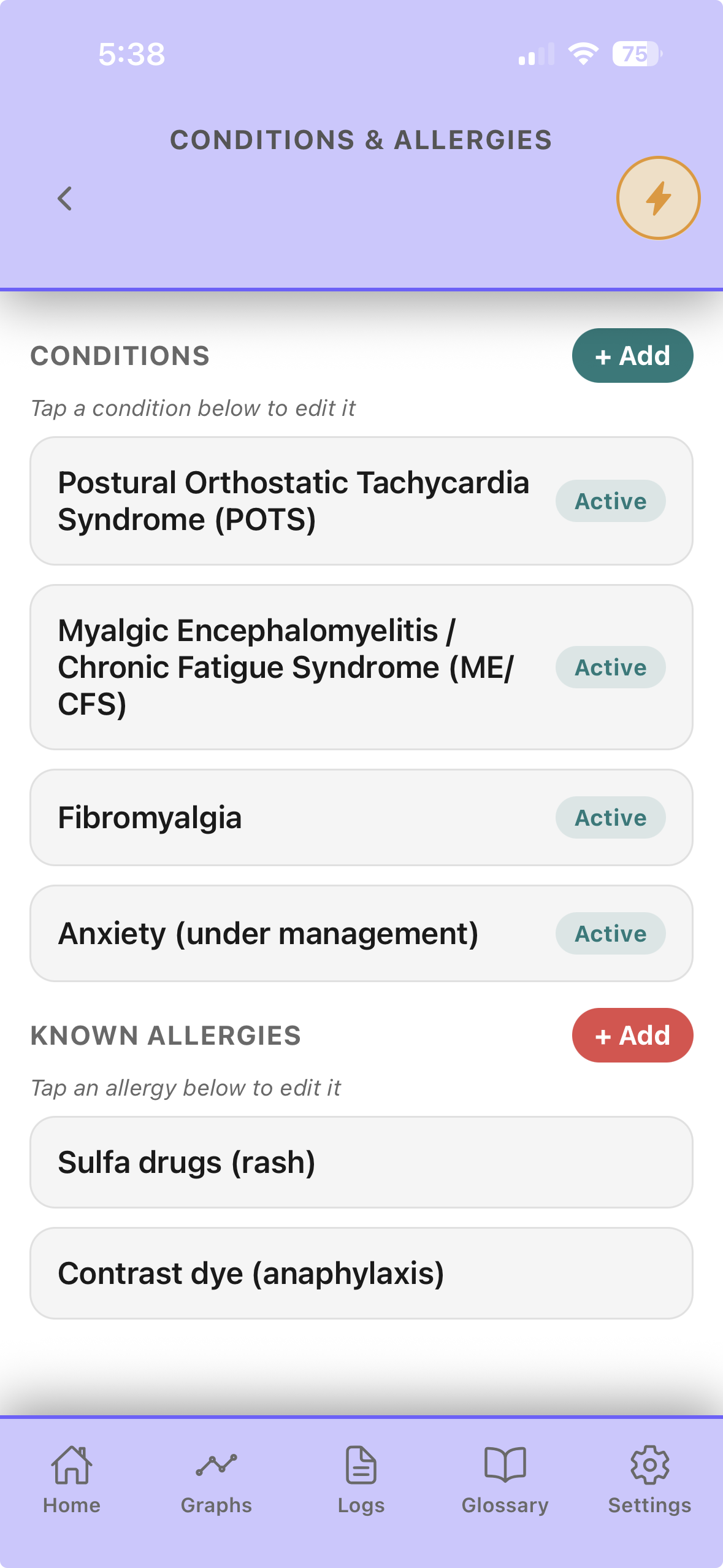
Conditions and Allergies screen listing active conditions and known allergies.

Conditions & allergies

Diagnosed conditions and known allergies, front and center.

Built differently, on purpose

No AI guessing how you feel.

Some symptom trackers run your entries through AI and hand you back confident-sounding conclusions about your own body. Narrela doesn't do that — no AI ever reads or interprets your personal data. What you see is what you logged, organized and put in front of you, so the conclusions stay yours and your doctor's to make.

✳

Built by someone who lives this.

Narrela started as a tool for one person managing chronic illness who was tired of arriving at appointments and forgetting the last three months. It's built to be the tool she actually wanted to exist.

Stay in the loop

Get notified when Narrela launches.

No spam — just a note when it's ready to download, and the occasional real update along the way.